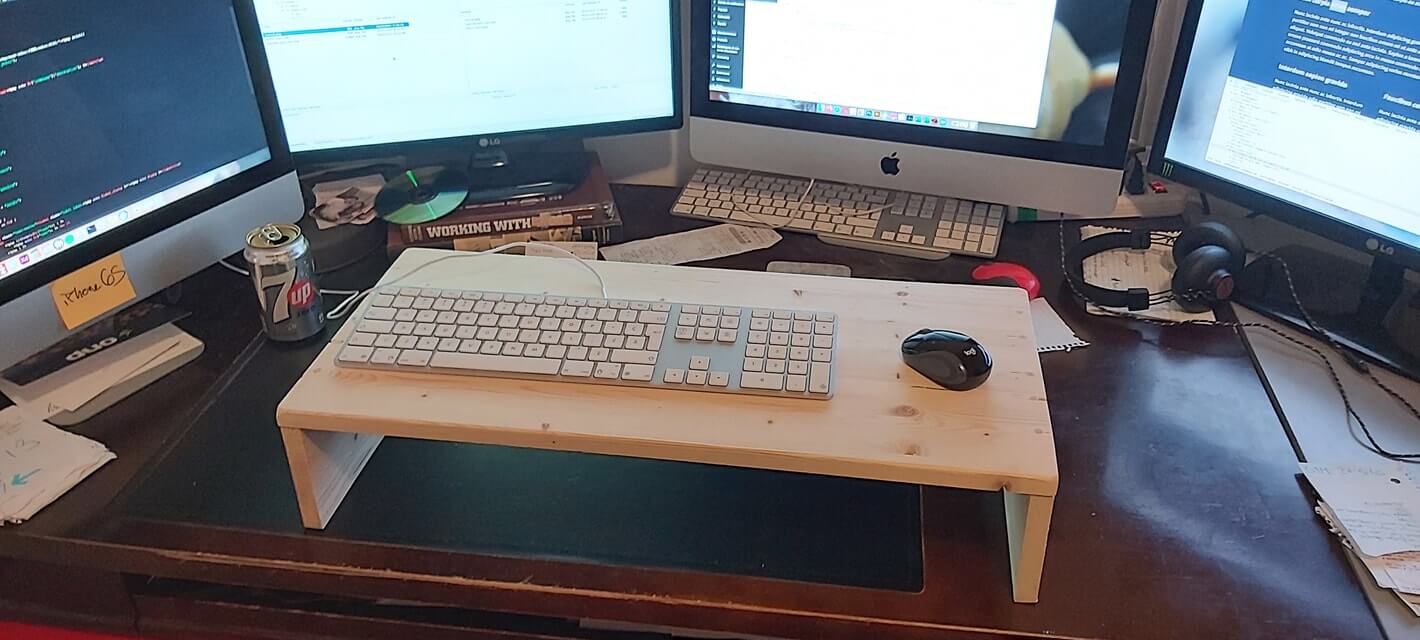
Keyboard and Mouse Stand
Back story
Since my day job requires me to spend hours upon hours sitting at my desk, my back tends to get into really bad and uncomfortable positions. To help keep a decent posture, I’ve built myself a small stand to raise my keyboard and mouse so I could work standing.
For this project, I used:
Tools
Materials
| Qty | Material |
|---|---|
| - | Laminated Pine Board – 3/4″ x 12″ x 48″ |
| - | 1/4″ Dowel |
How I went about it
-
Cuts
- Top: 24 1/2″ by the full board width
- Sides: 4 1/2″ by the full board width (2 pieces)
- Dowels: 2″ long (10 pieces)
-
Assembly
First, I used my miter saw to cut my board to the proper lengths. On either end on the top board, I’ve then drilled 5 not-so-equidistant holes how my dowels. I’ve filled my holes with glue and passed the dowels through the top and into the side pieces. Once these had dried up, I cut any excess using my coping saw.
-
Finish
I let everything dry up for about an hour or so. It wasn’t completely dry by then, but it was good enough for me to start sanding. I like the wood grain of pine, and I wanted it to pop a bit, so I used a small brush and added some flat transparent stain on the top and outer sides. I decided not to stain the inside as I didn’t really see the purpose considering it wouldn’t be visible anyways.